
↓
↓
Scroll Down
Scroll Down
↓
↓
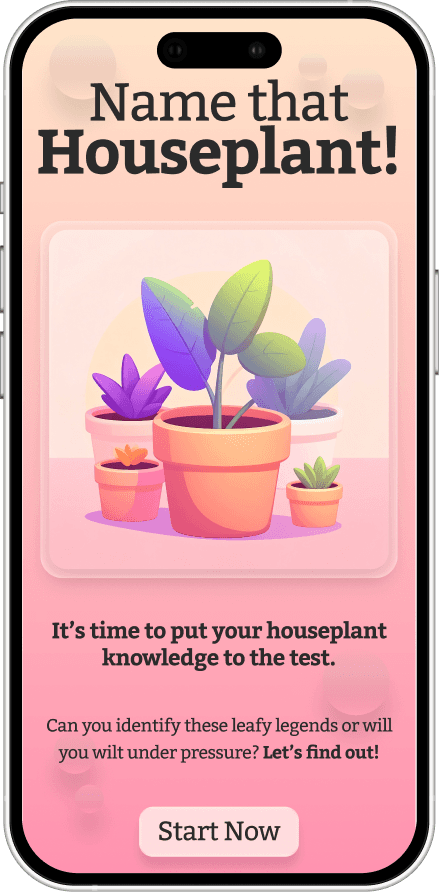
Name That Houseplant! Quiz App Prototype
Project Type: UX/UI / Mobile Product Design
Role: UX/UI Designer & Researcher
Tools: Figma, Illustrator, Photoshop
Timeline: 2 Weeks
Deliverables: Interactive prototype, low-fi wireframes, high-fi UI screens
Project Overview
Summary
A fun mobile app concept that challenges users to identify common houseplants. Designed with warm visuals and light gamification to make learning fun and relaxing.
Objective / Problem:
The challenge was to design a simple, accessible experience that feels refreshing and visually calm. Creating a fun way for users to learn and recognize common houseplants without overcomplicating the design.
↓
Scroll Down
↓
Process
I start every project by figuring out what it actually needs to do, not just how it should look. From rough sketches to final builds, it’s all about testing ideas early, cutting what doesn’t work, and keeping things clean, consistent,
and intentional.
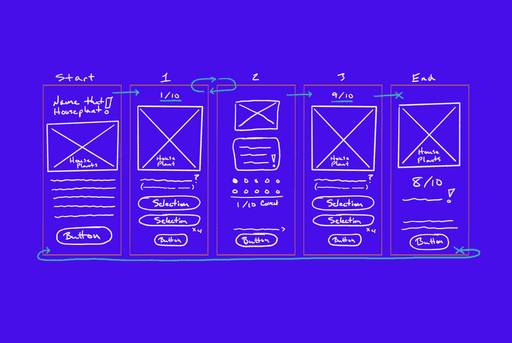
1. User Research:
Reviewed other quiz apps and common
houseplants. Users want a fun,
rewarding experiences.
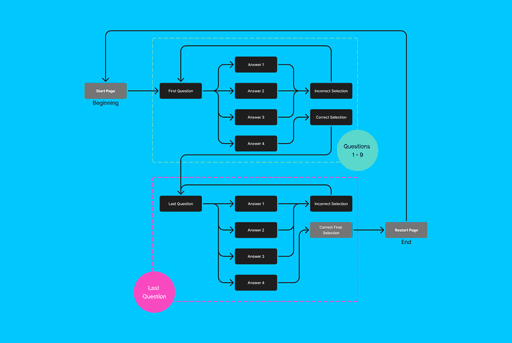
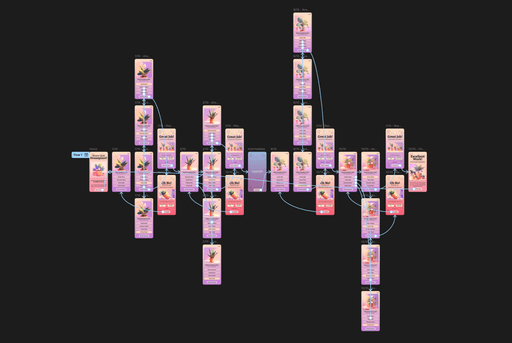
2. Wire-framing + Flow Design:
Built simple quiz flow with accessible navigation
in mind.
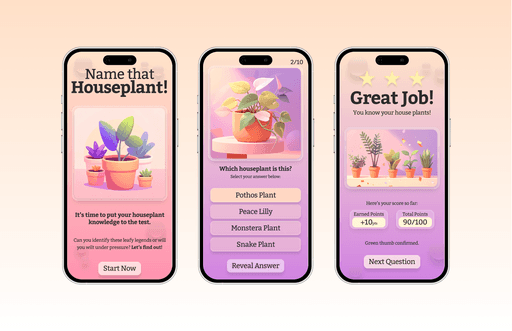
3. Visual Design:
Used warmer tones with clean typography to create a calm user experience and subtle micro-interactions for intuitive engagement.
4. Usability Testing:
Ran informal prototype tests; users responded positively to the immediate feedback and tone of
the app.
Solution + Final Design
The end goal is a quality design that looks good, works well, and feels natural to use. Every element serves a purpose, from the layout to the details. The final design brings everything together into a system that feels intentional, cohesive, and ready for the real world.
Final Design
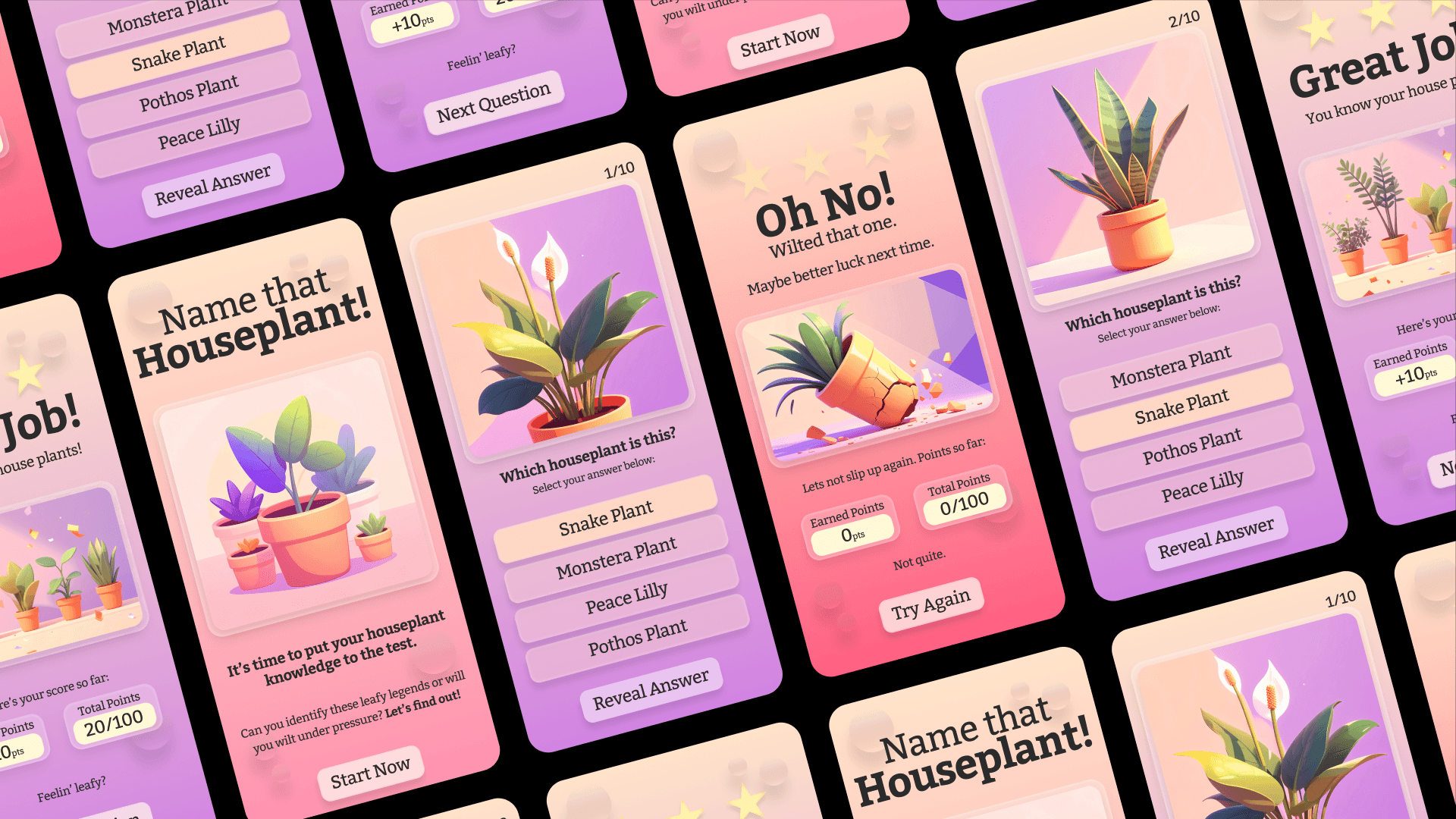
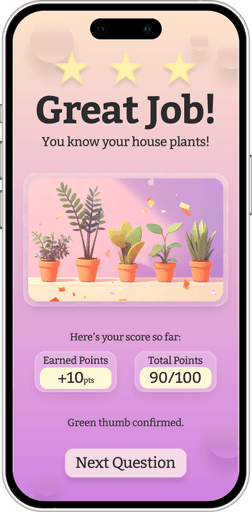
The Name That Houseplant! Quiz App delivers education through playful interaction that’s clean, natural, and rooted in positive reinforcement.
The final prototype showcases a clear balance of UX logic and visual design.
Results / Reflection
Built and tested a full mobile UX flow from concept to prototype.
Learned how gamified learning and accessibility shape stronger user experiences.
Improved my Figma, prototyping, and usability testing skills.
Project Overview
Summary
A fun mobile app concept that challenges users to identify common houseplants. Designed with warm visuals and light gamification to make learning fun and relaxing.
Objective / Problem:
The challenge was to design a simple, accessible experience that feels refreshing and visually calm. Creating a fun way for users to learn and recognize common houseplants without overcomplicating the design.
Name That Houseplant! Quiz App Prototype
Project Type: UX/UI / Mobile Product Design
Role: UX/UI Designer & Researcher
Tools: Figma, Illustrator, Photoshop
Timeline: 2 Weeks
Deliverables: Interactive prototype, low-fi wireframes, high-fi UI screens
Solution
+ Final Design
The end goal is a quality design that looks good, works well, and feels natural to use. Every element serves a purpose, from the layout to the details. The final design brings everything together into a system that feels intentional, cohesive, and ready for the real world.
Final Design
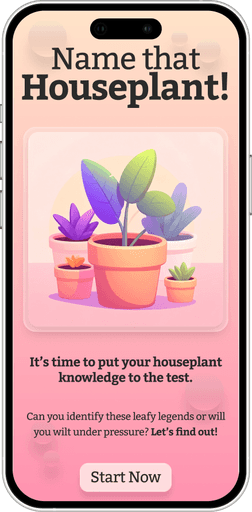
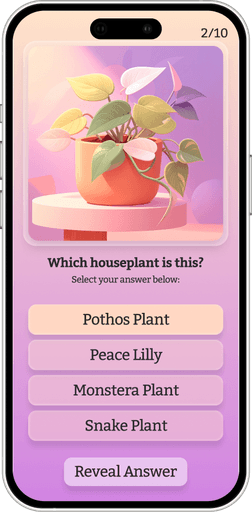
The Name That Houseplant! Quiz App delivers education through playful interaction that’s clean, natural, and rooted in positive reinforcement.
The final prototype showcases a clear balance of UX logic and visual design.
Results / Reflection
Built and tested a full mobile UX flow from concept to prototype.
Learned how gamified learning and accessibility shape stronger user experiences.
Improved my Figma, prototyping, and usability testing skills.
Process
I start every project by figuring out what it actually needs to do, not just how it should look. From rough sketches to final builds, it’s all about testing ideas early, cutting what doesn’t work, and keeping things clean, consistent, and intentional.
1. User Research:
Reviewed other quiz apps and common houseplants. Users want a fun, rewarding experiences.
2. Wire-framing + Flow Design:
Built simple quiz flow with accessible navigation in mind.
3. Visual Design:
Used warmer tones with clean typography to create a calm user experience and subtle micro-interactions for intuitive engagement.
4. Usability Testing:
Ran informal prototype tests; users responded positively to the immediate feedback and tone of
the app.